> ## Documentation Index
> Fetch the complete documentation index at: https://lightdash-mintlify-cccf65ca.mintlify.site/llms.txt
> Use this file to discover all available pages before exploring further.
# Configure a Github integration for self-hosted Lightdash
🛠 This page is for engineering teams self-hosting their own Lightdash instance. If you want to use the GitHub integration, go to the [dbt projects](/references/integrations/dbt-projects) guide.
In this guide we will show you how you can enable the Github integration on your on self-hosted Lightdash server.
### Create a new Github app
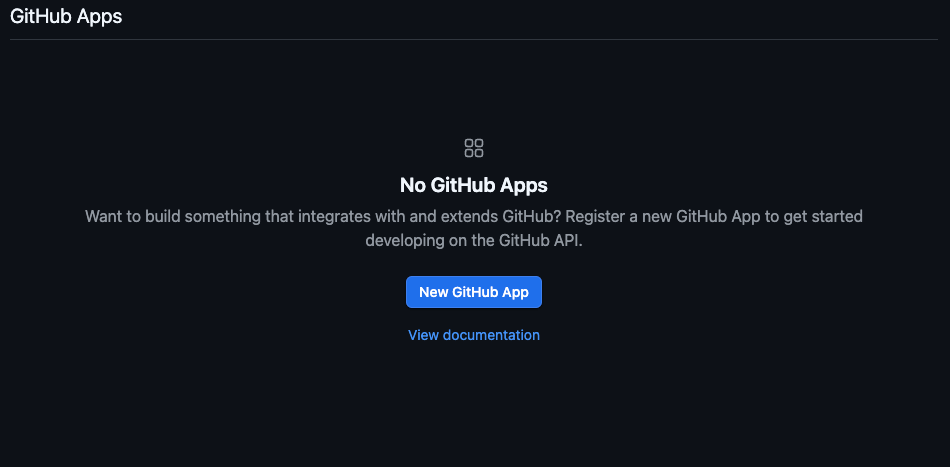
Go to app settings in Github, either organization or account developer settings and click `New Github App`
 **Settings:**
1. Set the app name: must be unique across Github
2. Add a description
3. Homepage URL: e.g. `https://lightdash.com`
4. Callback URL: `https:///api/v1/github/oauth/callback`
5. Enable `Expire user authorization tokens`
6. Enable `Request user authorization (OAuth) during installation`
**Settings:**
1. Set the app name: must be unique across Github
2. Add a description
3. Homepage URL: e.g. `https://lightdash.com`
4. Callback URL: `https:///api/v1/github/oauth/callback`
5. Enable `Expire user authorization tokens`
6. Enable `Request user authorization (OAuth) during installation`
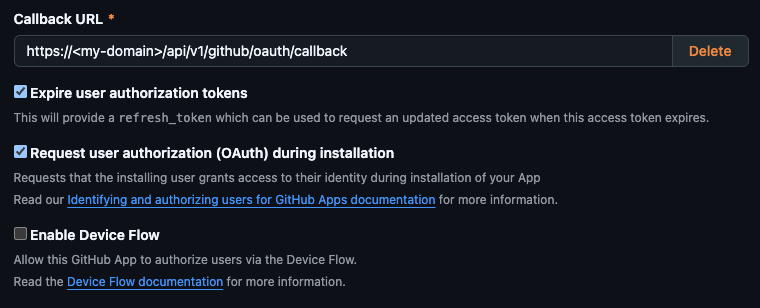 7. Enable \*\*Redirect on update \*\*on Post Installation
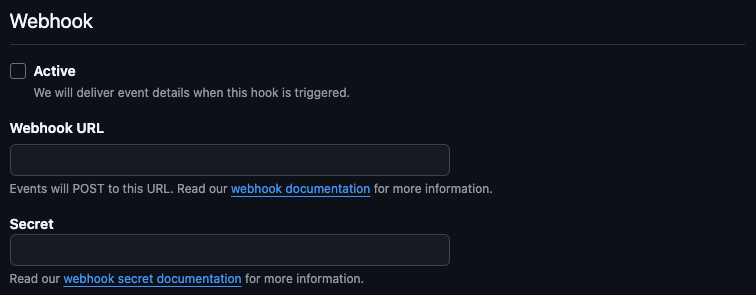
8. Deactivate webhooks
7. Enable \*\*Redirect on update \*\*on Post Installation
8. Deactivate webhooks
 **Repository Permissions:**
* Checks: `Read and write`
* Contents: `Read and write`
* Pull requests: `Read and write`
* Workflows (optional): `Read and write`
**Account Permissions:** None
**Where can this GitHub App be installed?** Any account
### **Generate Certificate and Secret**
After creating your Github account you will need to generate a Client Secret.
Copy it and keep it safe, this will get used for the `GITHUB_CLIENT_SECRET` environment variable.
**Repository Permissions:**
* Checks: `Read and write`
* Contents: `Read and write`
* Pull requests: `Read and write`
* Workflows (optional): `Read and write`
**Account Permissions:** None
**Where can this GitHub App be installed?** Any account
### **Generate Certificate and Secret**
After creating your Github account you will need to generate a Client Secret.
Copy it and keep it safe, this will get used for the `GITHUB_CLIENT_SECRET` environment variable.
 And a Private Key.
Convert the contents of the private key file into `base64` , this will get used for the `GITHUB_PRIVATE_KEY` environment variable.
And a Private Key.
Convert the contents of the private key file into `base64` , this will get used for the `GITHUB_PRIVATE_KEY` environment variable.
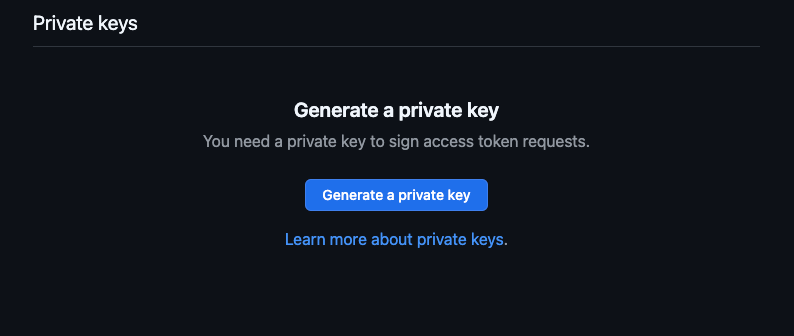 You should save both the Client Secret and the Private Key in a safe place as you might need them at a later time.
### Adding credentials to your local environment
Now you need to add the following environment variables to your Lightdash server.
* `GITHUB_PRIVATE_KEY` : This is the `base64` string of the Private Key generated for your Github app
* `GITHUB_CLIENT_SECRET` : This is the client secret generated for your Github app
* `GITHUB_CLIENT_ID`: Copy this from your Github app settings > General
* `GITHUB_APP_ID`: Copy this from your Github app settings > General
* `GITHUB_APP_NAME`: This is the name you set for your app, you can find it in app settings.
You should save both the Client Secret and the Private Key in a safe place as you might need them at a later time.
### Adding credentials to your local environment
Now you need to add the following environment variables to your Lightdash server.
* `GITHUB_PRIVATE_KEY` : This is the `base64` string of the Private Key generated for your Github app
* `GITHUB_CLIENT_SECRET` : This is the client secret generated for your Github app
* `GITHUB_CLIENT_ID`: Copy this from your Github app settings > General
* `GITHUB_APP_ID`: Copy this from your Github app settings > General
* `GITHUB_APP_NAME`: This is the name you set for your app, you can find it in app settings.