> ## Documentation Index
> Fetch the complete documentation index at: https://lightdash-mintlify-cccf65ca.mintlify.site/llms.txt
> Use this file to discover all available pages before exploring further.
# Autopilot
> Scheduled AI agent that keeps your project clean — fixes broken charts, flags stale content, and suggests new ones.
**Availability:** Autopilot is a [Beta](/references/workspace/feature-maturity-levels) feature available on **Enterprise** and **Cloud Pro** plans only.
Autopilot is a scheduled agent that runs against a project on its own and keeps it healthy. Each run, it reviews recent activity, finds problems, fixes what it safely can, and flags the rest for review.
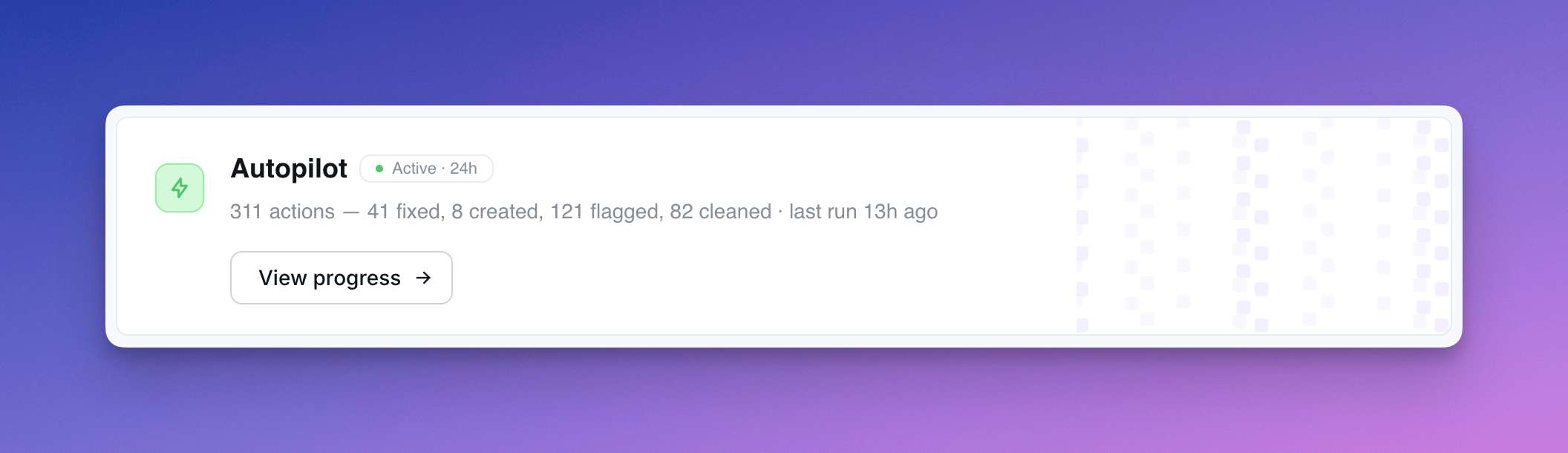 Unlike conversational AI agents that respond to user questions, Autopilot is autonomous — it works in the background on a schedule you set.
## What Autopilot does
Each run, Autopilot works through a fixed checklist:
| Step | What it does |
| --------------------- | ------------------------------------------------------------------------------------------------------------------------------------------------------------------------------------ |
| **Stale content** | Soft-deletes charts/dashboards with 0 views older than 30 days. Flags content not viewed in 3+ months. |
| **Broken content** | Finds charts referencing fields that no longer exist. Tries to auto-fix by removing invalid references. Flags any it can't fix. |
| **Slow queries** | Flags charts and dashboards with consistently slow warehouse queries (>2s). |
| **Preview cleanup** | Flags preview projects older than 3 months. |
| **Chart suggestions** | Reviews recent user questions to the AI assistant. If users repeatedly ask about a topic with no saved chart, Autopilot drafts one in an "Agent Suggestions" space for admin review. |
| **Insights** | Surfaces popular content that isn't pinned, or popular content stuck in a private space. |
Every action is recorded in the activity log with a description of *why* Autopilot did it.
## Action types
Each row in the activity log is tagged with one of:
* **Auto-fixed** — broken chart Autopilot fixed itself
* **Cleaned up** — content soft-deleted (admins can restore)
* **Suggested** — new chart drafted for review
* **Flagged stale / broken / slow** — recorded for review; future runs may escalate (e.g. soft-delete a stale flag that's been ignored for 24h+)
* **Insight** — observation about popular content
## Safety rules
Autopilot is conservative by default:
* Never touches content less than 30 days old
* Never soft-deletes a chart that's the only chart on a dashboard
* Never modifies content it created itself (slugs prefixed `agent-`)
* Prefers flagging over deleting when in doubt
* Soft-delete only — admins can restore from the trash
* Reverses its own actions if it detects a mistake on the next run
## Setup
Autopilot is configured per project from the project Home page.
**Schedule** — choose how often it runs (every 6 hours, daily, etc.).
**Permissions** — three capability toggles:
* **Read content** *(always on)* — reads project health signals, recent actions, and chart definitions
* **Create content** — drafts new chart suggestions in the "Agent Suggestions" space
* **Modify existing content** — soft-deletes stale content, fixes broken charts, reverses its own past actions
Disable both modify capabilities to run Autopilot in read-only mode (flags and insights only).
**Slack updates** *(optional)* — post a summary of each run to a Slack channel. Requires the Slack integration.
Autopilot assumes the role of the user who set it up — every action it takes runs with that user's permissions and is attributed to them.
## Reviewing activity
The Autopilot activity page shows every action across runs, with a sidebar that surfaces:
* Affected chart or dashboard context (space, last modified, views, verification status)
* Validation error details for broken content
* Execution time for slow queries
* Chart-as-code definition for suggested charts
* Autopilot's reasoning for the action
Use the activity log to spot-check decisions, restore anything Autopilot got wrong, and accept or dismiss suggestions.
Only users with **Developer** or **Admin** project access can view Autopilot's activity log.
Unlike conversational AI agents that respond to user questions, Autopilot is autonomous — it works in the background on a schedule you set.
## What Autopilot does
Each run, Autopilot works through a fixed checklist:
| Step | What it does |
| --------------------- | ------------------------------------------------------------------------------------------------------------------------------------------------------------------------------------ |
| **Stale content** | Soft-deletes charts/dashboards with 0 views older than 30 days. Flags content not viewed in 3+ months. |
| **Broken content** | Finds charts referencing fields that no longer exist. Tries to auto-fix by removing invalid references. Flags any it can't fix. |
| **Slow queries** | Flags charts and dashboards with consistently slow warehouse queries (>2s). |
| **Preview cleanup** | Flags preview projects older than 3 months. |
| **Chart suggestions** | Reviews recent user questions to the AI assistant. If users repeatedly ask about a topic with no saved chart, Autopilot drafts one in an "Agent Suggestions" space for admin review. |
| **Insights** | Surfaces popular content that isn't pinned, or popular content stuck in a private space. |
Every action is recorded in the activity log with a description of *why* Autopilot did it.
## Action types
Each row in the activity log is tagged with one of:
* **Auto-fixed** — broken chart Autopilot fixed itself
* **Cleaned up** — content soft-deleted (admins can restore)
* **Suggested** — new chart drafted for review
* **Flagged stale / broken / slow** — recorded for review; future runs may escalate (e.g. soft-delete a stale flag that's been ignored for 24h+)
* **Insight** — observation about popular content
## Safety rules
Autopilot is conservative by default:
* Never touches content less than 30 days old
* Never soft-deletes a chart that's the only chart on a dashboard
* Never modifies content it created itself (slugs prefixed `agent-`)
* Prefers flagging over deleting when in doubt
* Soft-delete only — admins can restore from the trash
* Reverses its own actions if it detects a mistake on the next run
## Setup
Autopilot is configured per project from the project Home page.
**Schedule** — choose how often it runs (every 6 hours, daily, etc.).
**Permissions** — three capability toggles:
* **Read content** *(always on)* — reads project health signals, recent actions, and chart definitions
* **Create content** — drafts new chart suggestions in the "Agent Suggestions" space
* **Modify existing content** — soft-deletes stale content, fixes broken charts, reverses its own past actions
Disable both modify capabilities to run Autopilot in read-only mode (flags and insights only).
**Slack updates** *(optional)* — post a summary of each run to a Slack channel. Requires the Slack integration.
Autopilot assumes the role of the user who set it up — every action it takes runs with that user's permissions and is attributed to them.
## Reviewing activity
The Autopilot activity page shows every action across runs, with a sidebar that surfaces:
* Affected chart or dashboard context (space, last modified, views, verification status)
* Validation error details for broken content
* Execution time for slow queries
* Chart-as-code definition for suggested charts
* Autopilot's reasoning for the action
Use the activity log to spot-check decisions, restore anything Autopilot got wrong, and accept or dismiss suggestions.
Only users with **Developer** or **Admin** project access can view Autopilot's activity log.